 English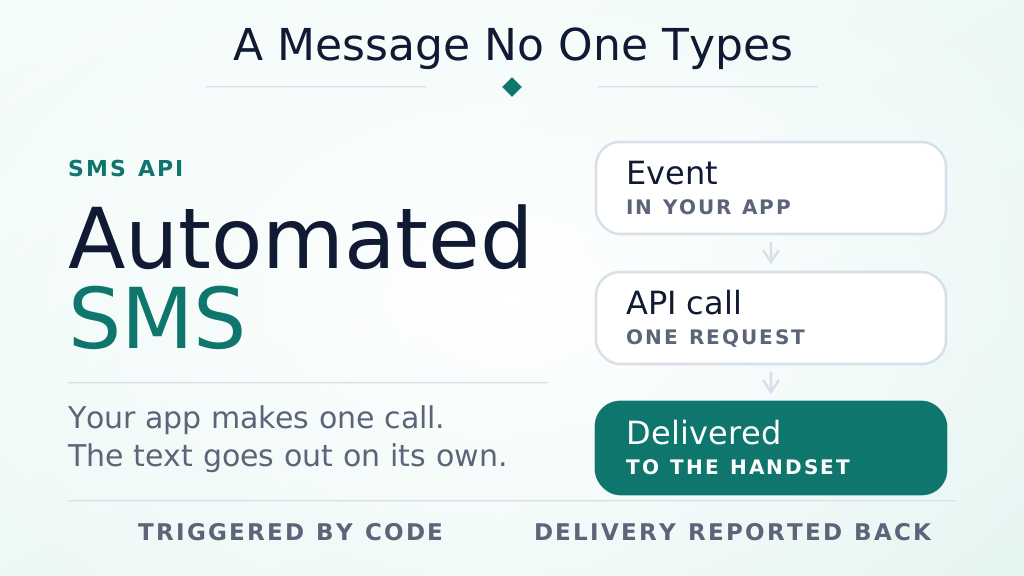
Introduction
Every "Your OTP is 4821," delivery update, or appointment reminder you have ever received was almost certainly never typed by a human. It was a system-generated SMS — a text message a piece of software sends automatically, the moment a specific event happens, without anyone opening a phone or logging into a dashboard. Businesses rely on this for a simple reason: it's the fastest, most reliable way to reach a customer the instant something they care about occurs.
This guide covers exactly what a system-generated SMS is, how the automation actually works behind the scenes, the most common ways businesses use it, and a practical, step-by-step path to sending your first one — including what that looks like in Python and PHP, the two languages developers ask about most.
Key Takeaways
- A system-generated SMS is sent automatically by software through an SMS API — no manual typing or login required.
- Three things make it work: a trigger (an event), an API call, and an SMS gateway that delivers the text.
- The most common uses are OTP codes, delivery updates, appointment reminders, and account alerts.
- Sending one takes an API key, a REST endpoint, and a few lines of code in almost any language — Python and PHP included.
- Consent and opt-out (STOP) handling aren't optional — they're what keeps automated SMS legal and your numbers from getting blocked.
What Is a System-Generated SMS?
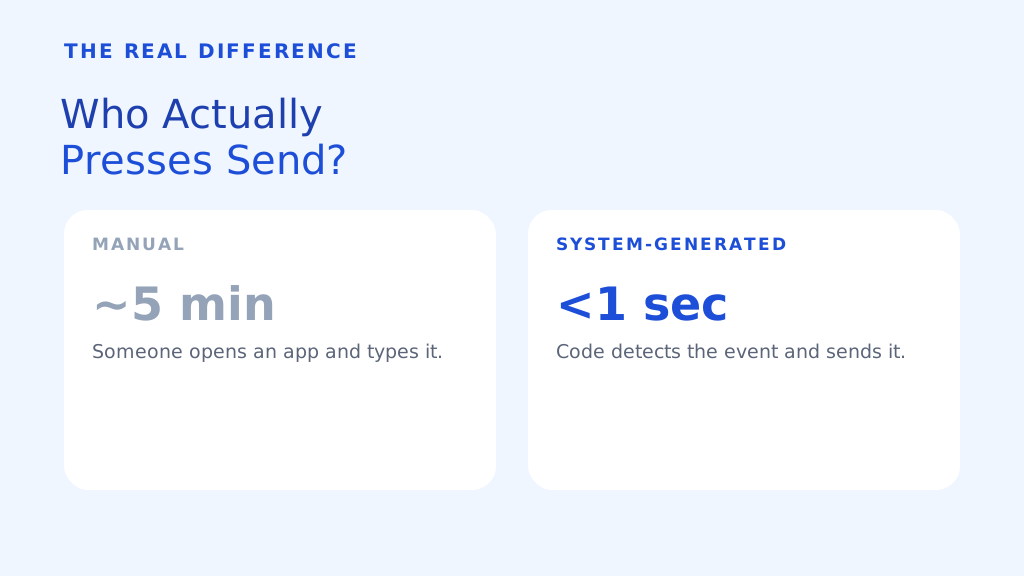
A system-generated SMS (also called an automated text message or a transactional SMS) is a message created and sent by an application, not a person. Instead of someone opening a messaging app and typing "Your order has shipped," a piece of code detects that the order status changed to "shipped" and fires off that exact text on its own, in milliseconds.
The distinction that actually matters isn't the wording of the message — a human could type the same sentence. It's who, or what, presses send. A system-generated SMS is triggered by code reacting to an event: a login attempt, a completed payment, a countdown reaching zero, a status change in a database. Nobody is standing by to send it manually, which is exactly why it can reach someone in seconds, 24 hours a day, at any scale.
How Does System-Generated SMS Work?
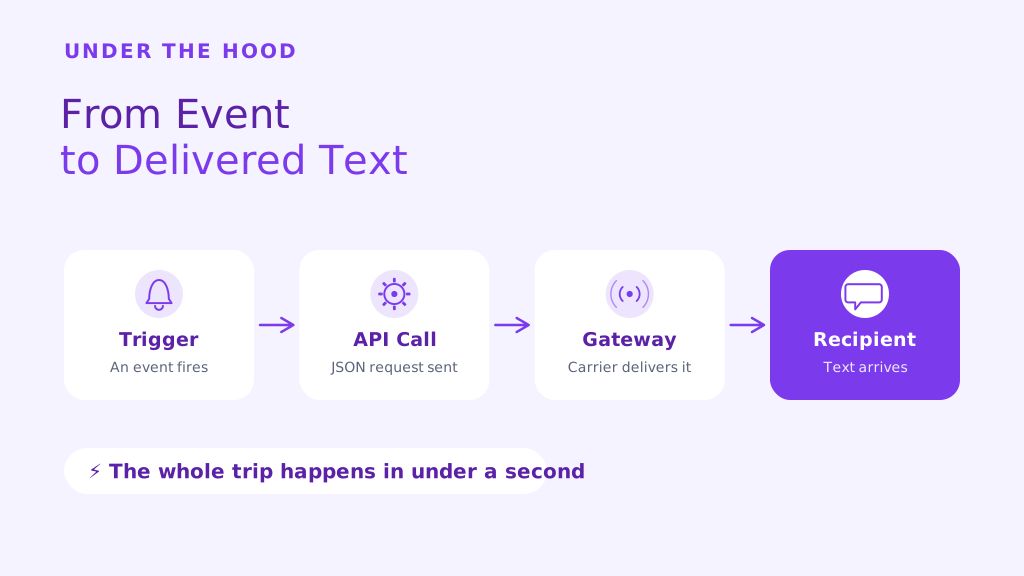
Every automated text — regardless of the platform behind it — comes down to the same three moving parts:
- A trigger. The event your software is watching for: a new signup, a payment confirmation, a delivery status update, or simply a scheduled time (like "24 hours before an appointment").
- An SMS API call. When the trigger fires, your application sends an HTTP request to an SMS gateway — the recipient's number, the message text, and your API key, packaged as JSON.
- Delivery through the gateway. The gateway hands the message to the recipient's mobile carrier, and — for platforms like SMSLocal — reports back whether it was delivered.
That middle step is the part that actually makes automation possible: the SMS API. An SMS API is just a defined way for one piece of software to ask another — "send this text to this number" — over a standard web request, the same way a browser asks a server for a webpage. SMSLocal's own HTTP-to-SMS API is a REST API: it accepts a straightforward HTTP request with JSON in and JSON back out, authorized with an access key instead of a username and password — the same shape Twilio's own SMS API documentation describes. If your software can make an HTTP request — and virtually all modern software can — it can send a system-generated SMS.
Common Types of System-Generated SMS
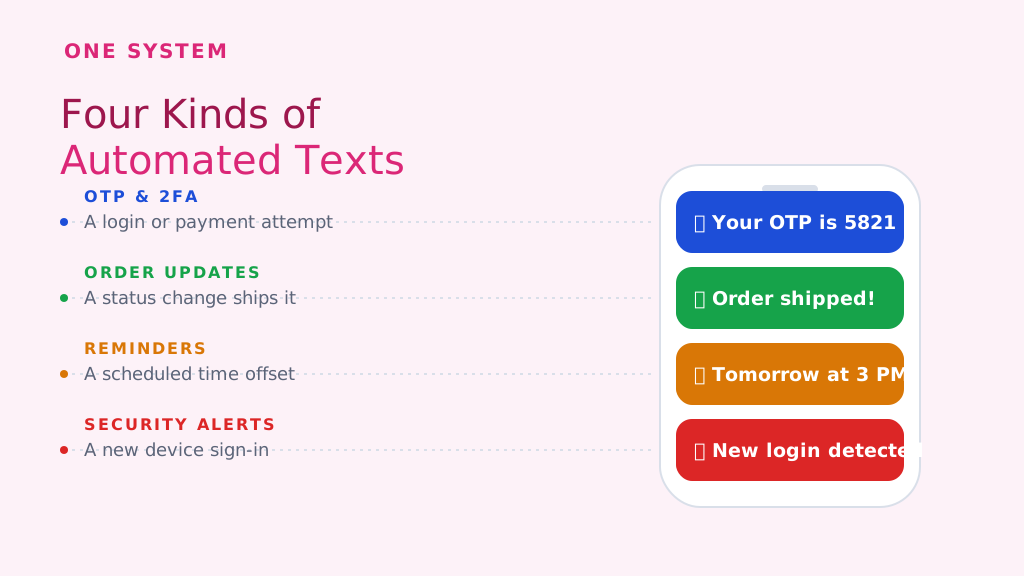
Almost every automated text a business sends falls into one of a handful of categories. Here's what each one is actually for:
| Type | What triggers it | Example |
|---|---|---|
| OTP & two-factor authentication | A login, password reset, or payment confirmation attempt | "Your OTP is 5821. Valid for 10 minutes." |
| Order & delivery updates | A status change in an order-management or logistics system | "Your order #4482 has shipped and will arrive Thursday." |
| Appointment reminders | A scheduled time offset before a calendar event | "Reminder: your appointment is tomorrow at 3 PM." |
| Account & security alerts | A new device login, a failed payment, or a balance threshold | "New sign-in detected from a new device. Wasn't you? Reply STOP." |
| Marketing & promotional triggers | A cart abandonment, a re-engagement window, or a signup | "You left something in your cart — here's 10% off to finish checking out." |
OTP messages are worth calling out specifically: they carry the highest urgency of any automated text (a code that expires in minutes), which is why they typically route through a dedicated, high-priority sending path rather than the same queue as promotional messages.
How to Send a System-Generated SMS: Step-by-Step
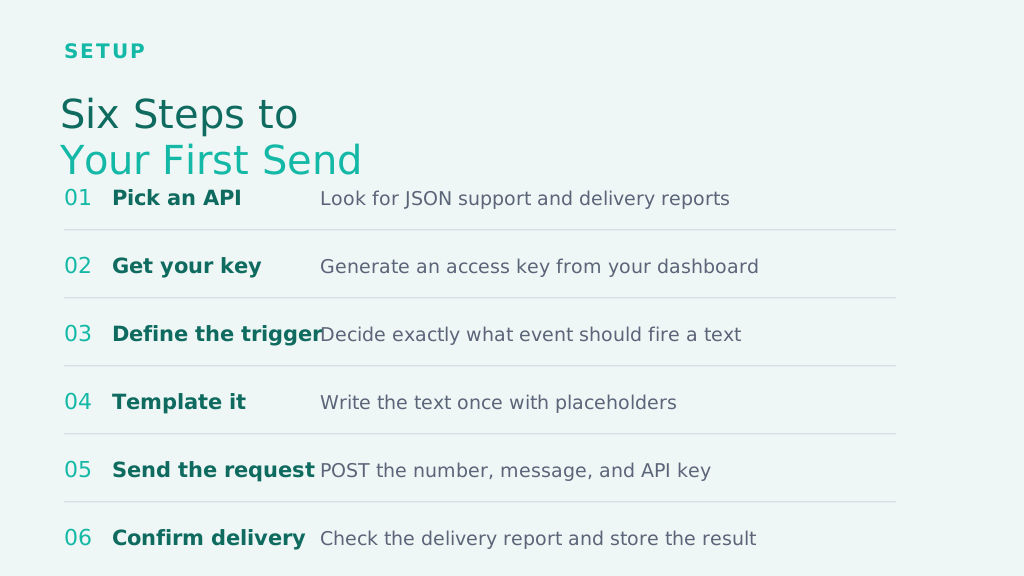
- Choose an SMS API provider. Look for a REST API with JSON support, clear per-message pricing, and delivery reports — you'll want to confirm a text actually arrived, not just that it was sent.
- Get your API key. After creating an account, generate an access key from your dashboard. This key authorizes every request instead of a username/password login — which is exactly what removes the "manual login" step from the process.
- Define your trigger. Decide, in your own application, exactly what event should cause a text to go out — a webhook firing, a database row changing, or a scheduled job running.
- Build the message template. Write the text once, with placeholders for the parts that change — a name, an order number, a code — so the same template can serve every recipient.
- Send the request. When the trigger fires, your code sends an HTTP POST to the API endpoint with the recipient's number, the filled-in message, and your API key.
- Confirm delivery and log the result. Check the delivery report the API returns, and store it — if a message fails, you want to know immediately, not when a customer complains.
Sending System-Generated SMS with Python and PHP
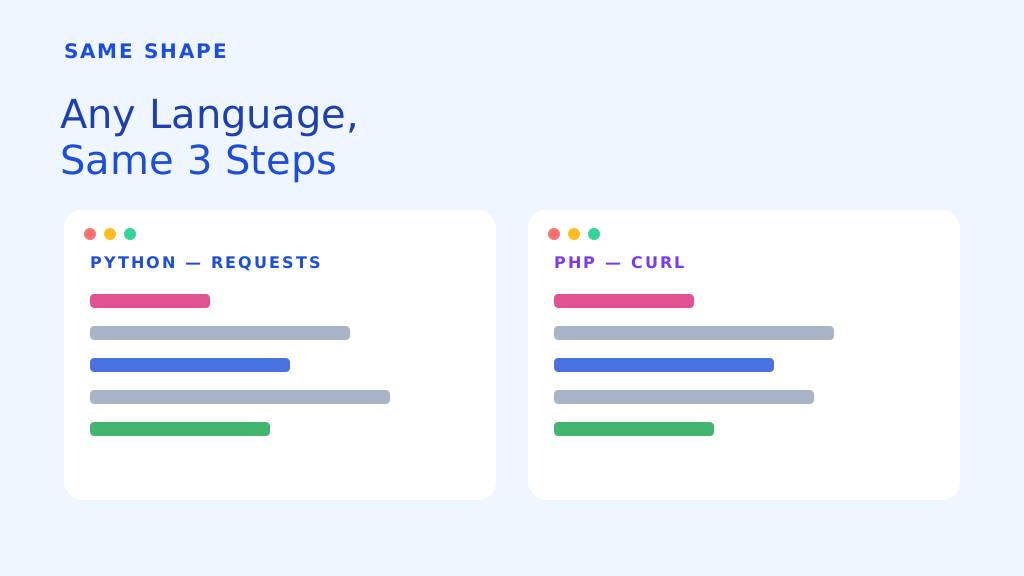
Because the underlying API is just HTTP and JSON, sending a text programmatically looks almost identical no matter which language your application is written in — only the syntax for making the request changes.
Python
Python doesn't need a specialized SMS library to send a system-generated text — the standard requests package is enough. You build a small dictionary with the recipient number, the message, and your API key, POST it to the API endpoint as JSON, and read the JSON response back to confirm the message was accepted. This is the pattern behind most "python send message" automation scripts: a scheduled job or event handler that calls the same function every time it needs to text someone.
PHP
PHP's most common route is the built-in cURL extension: initialize a cURL session pointed at the API endpoint, attach your JSON payload and API key as a header, execute the request, and decode the response. Since this needs nothing beyond what a standard PHP install already ships with, it's why SMSLocal's own documentation notes that "if you're capable of building a web page with a form, backed by a scripting language like PHP, you're already equipped to send automated SMS messages."
Node.js and Java follow the same shape — an HTTP client, a JSON body, and your API key in the request. Once you've sent one system-generated SMS in any language, sending the next in a different one is mostly a syntax swap.
Benefits of System-Generated SMS
- Speed. A trigger-to-delivery path measured in seconds, not the minutes or hours a manual process takes.
- Consistency. The same event always produces the same message, with none of the typos or missed sends a manual process risks.
- Scale. Sending 10 automated texts costs the same effort as sending 10,000 — the code runs identically either way.
- Round-the-clock coverage. An OTP or delivery alert fires at 3 AM exactly as reliably as at 3 PM.
- Lower support load. Proactive updates ("your order shipped") head off the "where is my order?" ticket before it gets written.
Best Practices for Automated Text Messages
- Get explicit opt-in first. A signup form or a keyword reply is enough — but automated texts should only go to numbers that agreed to receive them.
- Always support STOP. Every message needs a working, immediate way to opt out — it's both a compliance requirement and basic respect for the recipient.
- Keep templates short and specific. "Your order #4482 shipped, arriving Thu" beats a paragraph — SMS is a glance-and-go channel.
- Separate urgent from promotional. Route OTP and security alerts through a distinct, higher-priority path than marketing messages.
- Monitor delivery reports. A silent failure on an OTP message is a locked-out customer — check status, don't assume success.
Wrapping Up
A system-generated SMS is nothing more exotic than code reacting to an event and making an HTTP request — but that simplicity is exactly what makes it powerful. Once a trigger, an SMS API, and a message template are in place, an OTP, a delivery update, or a reminder can reach a customer in seconds, at any hour, at any scale, without a single person clicking send. Whether that request comes from Python, PHP, Node.js, or Java, the shape of the work is the same: define the event, template the message, call the API, and confirm it landed.
Frequently Asked Questions
A system-generated SMS is a text message created and sent automatically by software — through an SMS API — the moment a specific event occurs, rather than being typed and sent manually by a person.
Three things: an SMS API provider with an access key, a defined trigger (the event that should cause a message to send), and a message template. From there it's a standard HTTP request from whatever language your application already runs.
Some platforms offer visual trigger-and-action workflow builders that need no coding at all. Sending through a raw HTTP API, though — the most flexible and often cheapest route — does need at least a few lines of code in a language like Python, PHP, or Node.js.
Not quite. Bulk SMS usually means one message sent to many recipients at once (a promotion, for example). System-generated SMS is triggered per event and per recipient — an OTP or an order update is personal and one-to-one, even though the same automation can technically run at bulk scale.
Yes, as long as the recipient opted in to receive them and every message includes a clear way to opt out (a "reply STOP" instruction is standard). Regulations vary by country, but consent and an easy opt-out are the baseline everywhere.
Pricing is typically per message and varies by destination country and provider — there's no extra charge for the fact that a message was triggered by code rather than typed by hand.